 The Calm Journal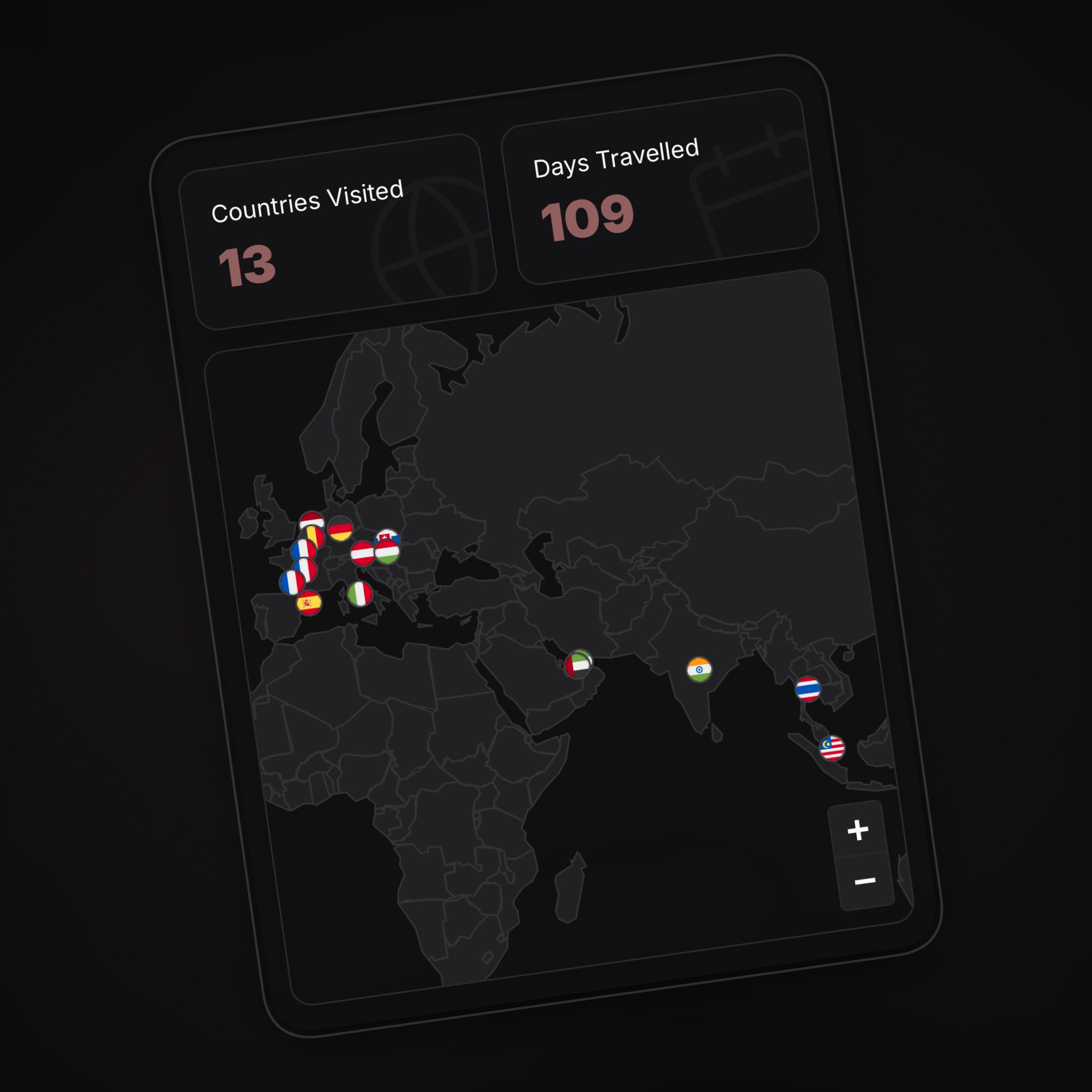
One of the most requested features for Roamcalm was “My Stamps” - a visual map showing all the countries you’ve visited.
The standard engineering answer to this is simple: “Just use the Google Maps API.” Or maybe Mapbox. Drop in a component, throw in an API key, and call it a day.
Google Maps is powerful, but it gets expensive fast. Relying on it would mean our operational costs would skyrocket, and eventually, we’d have to raise subscription prices to cover it. We believe you deserve a premium experience without paying a premium for it. So, instead of passing the bill to you, we engineered a solution that looks great and costs nothing.
We built a travel map that makes zero outside calls. No Google, no Mapbox, no tile servers. Just a JSON file and Leaflet, a lightweight open-source library.
The “Map” is just a File
At its core, a digital map is just a set of instructions on how to draw shapes.
Instead of streaming image tiles (which is how most web maps work), we perform a little trick. We put a simplified GeoJSON file of the world in the app.
Under the hood, this file is a JSON object with a type of FeatureCollection. It contains a list of features, where each feature represents a country. Inside each feature, we have:
- Properties: Metadata like the country’s name and its 3-letter ISO code (e.g.,
INDfor India). - Geometry: The actual shape data. This is usually a
Polygon(lots of coordinates connecting to form a loop) or aMultiPolygon(for countries with islands, like Japan or Indonesia).
Since we aren’t streaming tiles, we needed a way to draw the countries. The Leaflet JavaScript library is a no brainer for rendering vectors beautifully without the bloat.
However, refusing to fetch data on-demand meant we had to be smart about the file size. We didn’t use a high-definition border file that traces every pebble on a coastline. We used a simplified version where the coastlines are smoothed out.
The result? The entire world is just a ~200KB GeoJSON file.
When you open the “My Stamps” page, we aren’t connecting to a satellite server. We are just loading this lightweight JSON file from your device.
The Magic of “Point in Polygon”
So we have the shapes of all the countries. And we have the latitude and longitude of your trips. The challenge is connecting the two.
If you visited Paris, we have the coordinates 48.8566, 2.3522. But how does the app know that point is inside “France”?
We use a classic geometric algorithm called Ray Casting.
Imagine drawing a straight line from your location (say, Paris) extending infinitely to the right. Then, we count how many times that line crosses the borders of a country.
- If it crosses an odd number of times (1, 3, 5…), you are inside the country.
- If it crosses an even number of times (0, 2, 4…), you are outside.

It sounds rigorous, but computers are incredibly fast at this. We check your trip coordinates against every country’s polygon in a fraction of a second.
Once we know you’ve been to France, we instruct our map renderer to drop a pin at that exact location. The map stays clean and muted, letting your memories (and flags!) pop.
What’s in it for us(and you)?
By doing this the hard way (building it ourselves instead of using a service), we gained three massive benefits:
- Cost: Using Google Maps would have significantly increased our overhead. By building this ourselves, we keep our costs low—so we can keep your subscription price low.
- Performance: We aren’t downloading megabytes of map tiles as you scroll. It’s lightweight, snappy, and battery-friendly.
- Design Harmony: Because we control every pixel of the rendering, the map follows our app’s theme perfectly. Dark mode, accent colors, and fonts match seamlessly because it’s just CSS, not an iframe or a constrained external library.
- Complete Ownership: It’s not just the map borders. We also locally host over 250 SVG country flags. No CDNs, no external requests. Everything is bundled right with the app.
It turns out, you don’t always need big tech to build cool tech. Sometimes, all you need is a JSON file and a little bit of geometry. Try it yourself.